Do you want to create Admin User in Magento 2?
Magento comes with a built-in user management system. This lets you add users with different roles and permission levels.
In this article, we will show you how to create Admin User in your Magento store.
Create an Admin User in Magento 2 via Admin Panel?
Follow the steps to create Admin User in Magento 2:
#1 Navigate to Admin Panel > System > Permissions > All Users
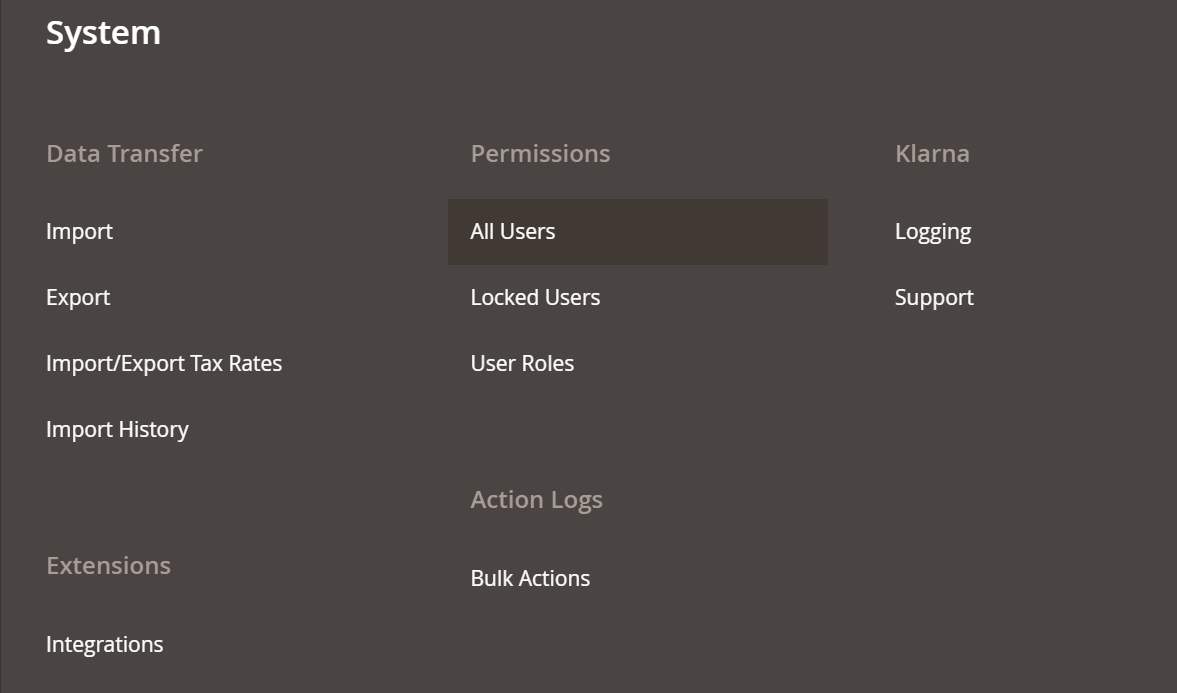
You will find all the users on the next page.

#2 Click on Add New User button to create new user
#3 Fill the User Info on the next page – Account Information
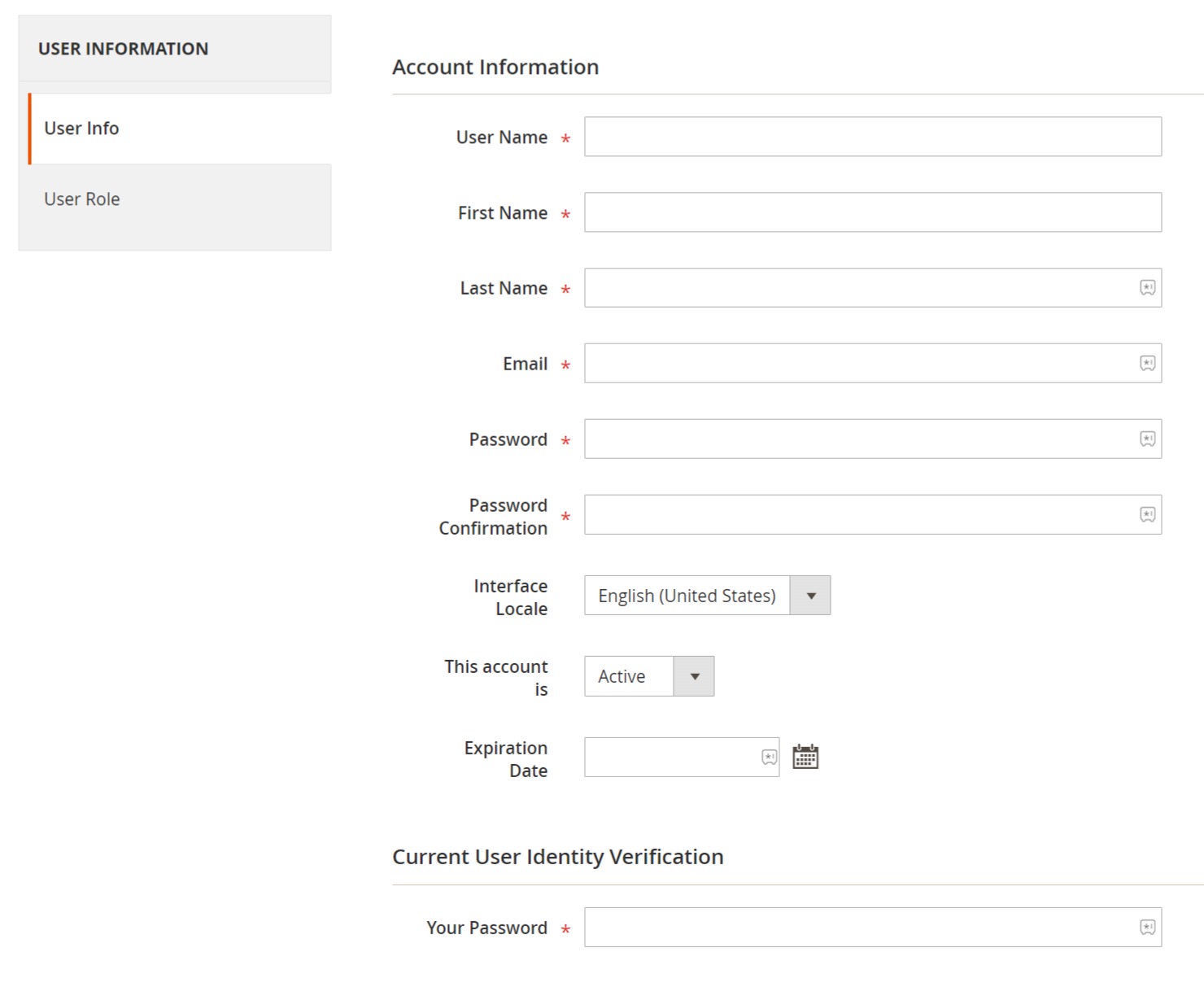
- Username: The term they will be using to log in to their account.
- First Name: First name of the new Admin User
- Last Name: Last name of the new Admin User
- Email: Email address to register the account of new Admin User
- Password: Create strong password for the user
- Password Confirmation: Repeat the password
- Interphase Locale: Language of the Admin Panel of the new Admin User
- Active/Deactive: Option to deactivate the account if needed
- Expiration Date: Set the expiration date if you want to delete the User’s account later
- Your Password: Password of the existing account holders who are creating Admin User in Magento 2. This to verify that only the authorized person can make the new account.
Once everything is filled, click the Save User button.
#4 User Role section
Assign the User Role to the new Admin User you created. Select the Administrator and click Save User.
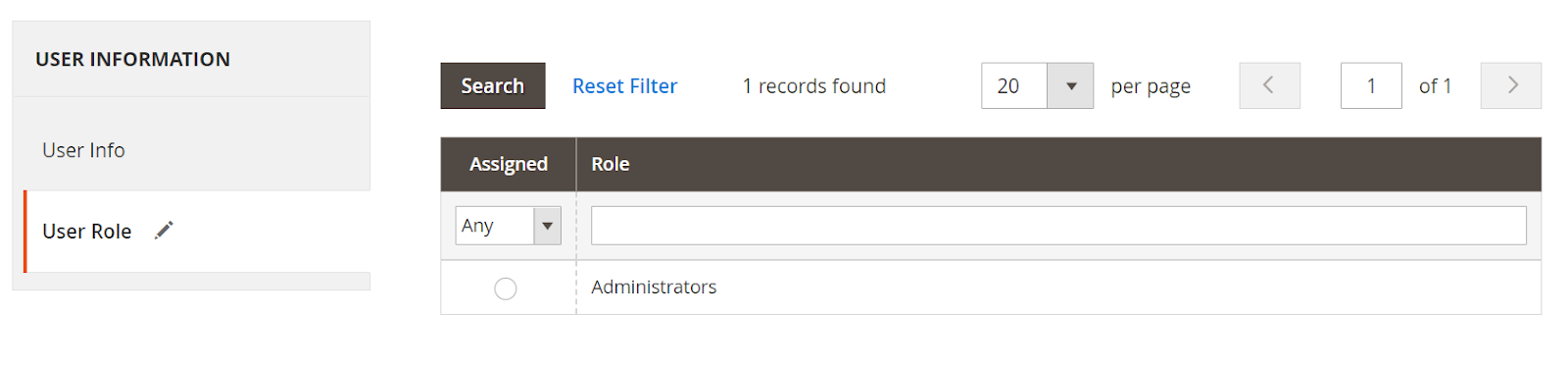
That’s it. You created Admin User in Magento 2 using Admin Panel.
Create Admin User in Magento 2 via Command Line (CLI)?
Another way to create Admin User in Magento 2 is via Command Line. CLI is a fast and fantastic way to perform various operations in Magento.
Simply open a command line and navigate to the Magento 2 root directory.
Execute the following command:
php bin/magento admin:user:create --admin-user="USER_USERNAME" --admin-password="USER_PASSWORD" --admin-email="USER_EMAIL" --admin-firstname="USER_FIRSTNAME" --admin-lastname="USER_LASTNAME"That’s it.
But why a new Admin user?
When the store is small, you handle everything on your own. But as it grows, you need help. You have to give access to developers, marketers and other team members to run your store.
It will not make sense to give everyone one account. You will not be able to find who made what changes to the store, as everything is done by one account.
Giving everyone a separate account makes them accountable for the action being taken via their user accounts.
Wrap Up
In this quick tutorial, we looked at how to create Admin User in Magento 2 store. It can be done from the Magento backend as well as Command Line.
I hope this tutorial helped you. If you have any questions and doubts, feel free to leave it in comment box.